Solutions

Solutions for assembly, manufacturing and production planning

Four problem areas almost every machine builder knows, and what changes in your company once they are solved. The first three build on your ERP, the fourth is our product for technical writing teams.

01 · Assembly planning

Assembly focuses on what it can actually finish.

Assemblies get started, parts get hunted down, assemblies get set aside unfinished. And on the next one it all starts again. Your fitters see at a glance which assemblies are ready to build and which are still missing parts. You see early on which order puts the FAT date at risk, and can react while it still makes a difference.

Under the hood: Material availability from the ERP, broken down by assembly, as a live view for assembly and project management, not as a printout.

See how it works
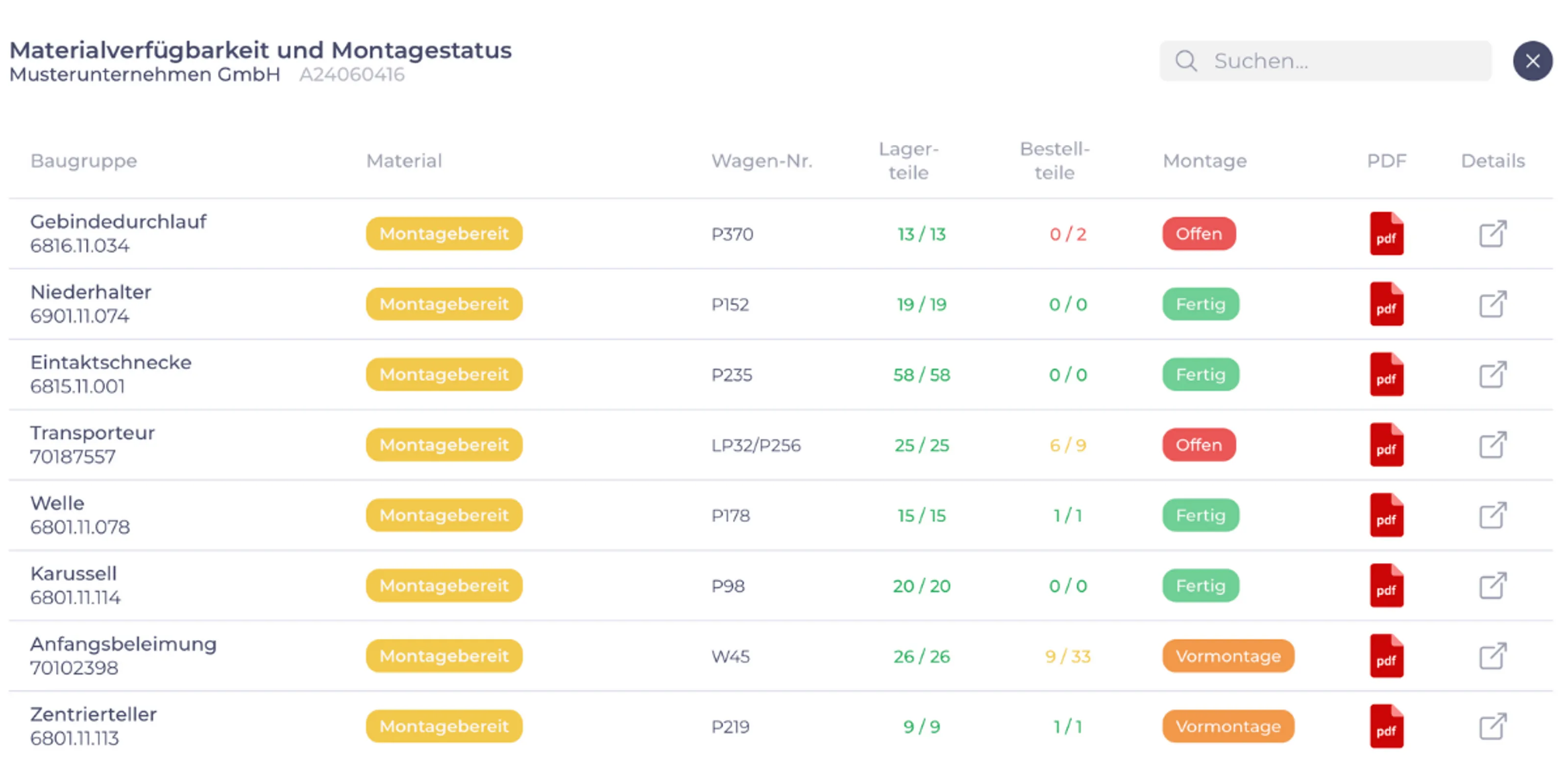
Screen “Material availability and assembly status” (in German): table of assemblies with status ready to build, trolley number, parts in stock and on order, and assembly status open, done or pre-assembly.
Material availability and assembly status per assembly. View from a customer project, data anonymised, interface in German. Click to enlarge.

02 · Change management

Changes arrive before mistakes happen.

The bill of materials has changed, but production is still working from the old drawing. Questions and changes sit right at the assembly in the order, not in emails and on scraps of paper. Whoever is responsible is addressed by name. Everyone sees what is open and what is done, and every decision stays on record with its date.

Under the hood: Comments and open points for each assembly and item of your order, with status, owners and history.

See how it works
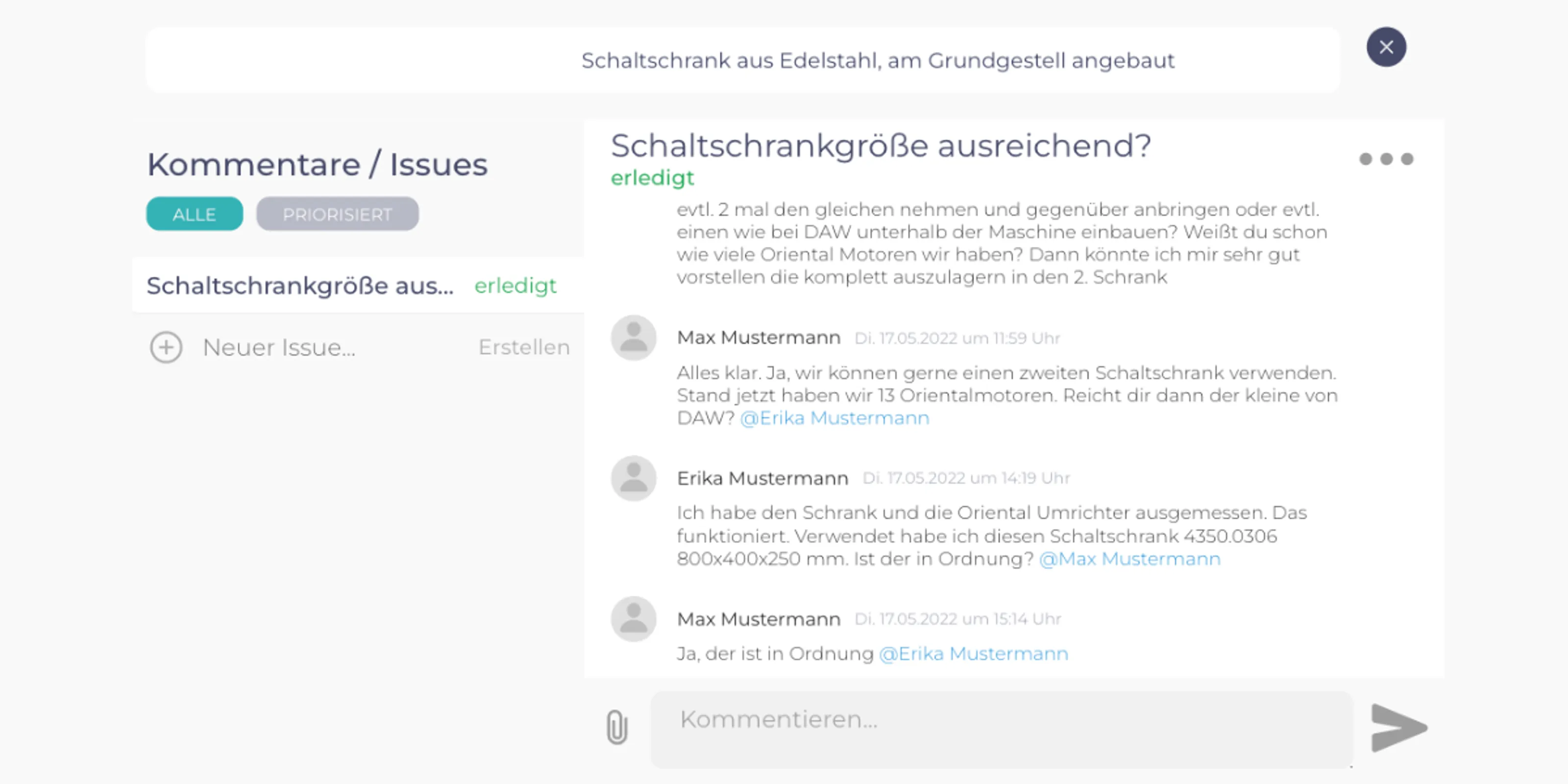
Screen “Comments / issues” (in German) for the assembly “stainless steel control cabinet mounted on the base frame”: the question “Is the control cabinet large enough?” marked as done, below it the history with people mentioned by name, date and time.
Questions and open points right at the assembly, with status and history. View from a customer project, names anonymised, interface in German. Click to enlarge.

03 · Reducing setup time

The machine runs instead of waiting for the setter.

The machine is free. The fixture, the material or the program is not. Operators and production planning see which order comes next and what has to be ready for it. Tools, material and program are there when the machine becomes free, not half an hour later.

Under the hood: A dashboard at the machine and in production planning, fed by your order data.

See how it works
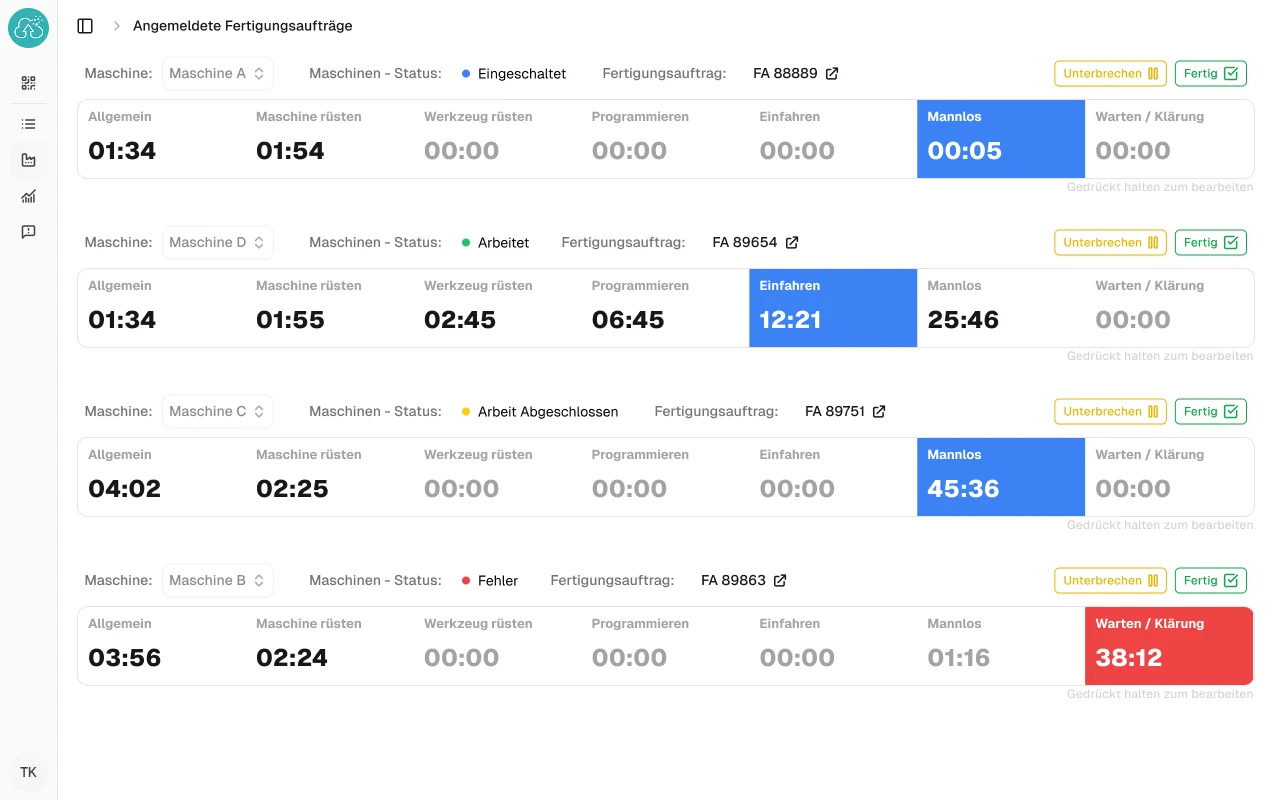
Screen “Registered production orders” (in German): for each machine the production order, machine status and the times for machine setup, tool setup, programming, run-in, unmanned operation and waiting or clarification. The current phase is highlighted in colour.
For each machine the current production order and the time per phase: setup, programming, run-in, unmanned, waiting. View from a customer project, interface in German. Click to enlarge.

04 · Operating manuals

Change it once, up to date in every operating manual.

The same safety notice sits in dozens of files, and it only gets corrected wherever someone happens to remember. An operating manual is made up of versioned content blocks, plus whatever applies only to this machine. You correct a block once, and every operating manual that uses it follows.

Under the hood: myDoku, our product for technical writing teams: content block library, versions, languages, checklists and maintenance cards.

See how it works
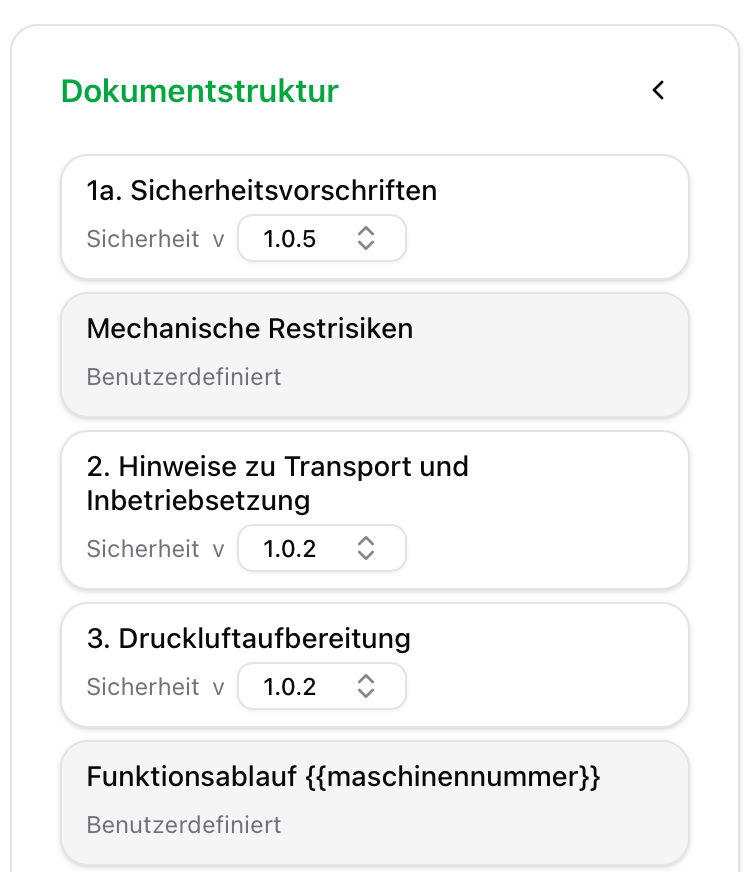
Screen “Document structure” in myDoku (in German): content blocks such as “Safety regulations” and “Compressed air preparation” with chapter and version number, with custom sections in between that contain the placeholder for the machine number.
An operating manual in myDoku: versioned content blocks from the library, with custom sections and placeholders in between. View from a customer project, interface in German. Click to enlarge.

Getting started

Your bottleneck is not on the list?

The solutions here are examples, not a complete list. They show how we work: one bottleneck in order processing, one solution that connects to your ERP. In your company, time may be getting lost somewhere else: in quotations, goods receipt, shipping or service.

That is why working together does not start with a ready-made solution, but with the potential analysis. We walk through your order process with you, from quotation to delivery, and look at where time gets lost. Afterwards you know whether it is worth building something there. If it is not, we will tell you that too.

How the potential analysis works

Would this pay off for us?

Tell us where things get stuck. We will tell you honestly whether software pays off at that point and whether we are the right people for it.

Not quite there yet? Two-minute bottleneck check. No sign-up, no email address.

Call Book a call